

Gaming Headset 7.1 Surround Sound with Seven Color LED Lights ZIDLIZH 600 PS4/PC
$ 15.31
Description
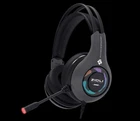
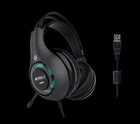
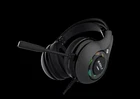
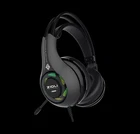
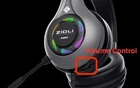
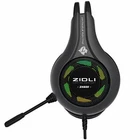
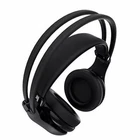
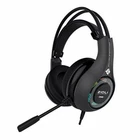
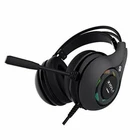
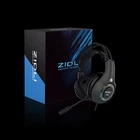
High Quality Gaming Headset!!! Rainbow Transform LED Lightening!!! Elevate Your Gaming Experience with Our High-Quality Gaming Headset!! Key Features: Multi-Platform Compatibility: Plug and play with USB Dolby Surround 7.1 compatibility, suitable for PC, PS4, PS4 Pro, and devices with USB audio support. Versatility meets convenience for a seamless gaming experience. Advanced 7.1 Virtual Surround Sound: Immerse yourself in an unparalleled gaming experience with industry-leading high precision driver units. Hear every detail, every footstep, and every shot with a 360-degree sound field. Get ready to game as the developers intended. Lightweight Steel Frame Design: Crafted for extended gaming sessions, our headset features a lightweight steel frame. Unique tension controls allow you to customize the tightness for a personalized fit. Soft memory foam ear-cushions not only provide comfort but also block external sounds, ensuring distraction-free play. The LED lights add a cool atmosphere to enhance your gaming experience. Noise Cancelling Mic & Fingertip Control: Communicate clearly with the omnidirectional noise reduction technology in our microphone. Adjust volume effortlessly with a mute control on the mic shell and a volume wheel on the ear cup. Take control of your audio experience with ease. What You Get: Receive the ZIDLI Gaming Headset, backed by our worry-free product guarantee and friendly customer service. Your satisfaction is our priority! Customers need to pay attention: This headset is not compatible with Xbox and Xbox One consoles. Connect the headset to your PlayStation 4 console via USB for immersive gaming audio. Note: It cannot be used to connect with the controller. Adjust the sound level to your preference using the volume control located on the back of the left side of the earmuff. If you are using a MacBook, follow these steps for optimal functionality: Connect the headphone to your computer. Go to System Preferences. Navigate to Sound -> Input & Output. Ensure the headphone is selected as both the input and output device. Processing & Shipping: Order will be processed within 24-48 business hours. Please ensure that the shipping address on your order is accurate before placing it. In case of an incorrect address, kindly cancel the order before shipment. Once the order has been shipped, cancellation may not be possible. If the tracking record indicates that the package has been delivered and you haven't received it, please check your mailbox. Return and Refund Policy: Returns will be accepted within 30 days from the date of purchase. Returned items must be unused, undamaged, and in new condition, just as they were sent out. Please return items in their original box and include all the items from the original package. Refunds will be issued within 5 business days after we receive the returned item. If you have any concerns or questions about returns and exchanges, please reach out to our friendly customer service. Customer Questions & Answers : Question 1: The audio is working, but the microphone does not work? How to fix this problem? Answer: The problem that the microphone does not work because you need to manually connect the headset to your computer due to the different systems. If your operating system is Windows , please refer to this link: https://www.youtube.com/watch?v=qnGQbEjORVc If your operating system is MacBook , please refer to this link: https://www.youtube.com/watch?v=B2gif4ln5HY Question 2: The microphone is working, but the audio does not work? How to fix this problem? Answer: Same reason above. Please refer these links below to fix this problem. If your operating system is Windows , please refer to this link: https://www.youtube.com/watch?v=TSY1btVOwyY If your operating system is MacBook , please refer to this link: https://www.youtube.com/watch?v=B2gif4ln5HY Question 3: If the volume of the headset is low, how to fix this problem? Answer: Please Adjust the volume control located on the back of the left side of the earmuff. Specifications: Connection: USB + 3.5 MM (with sound card) Cable Length: 2.2 meters (7.2 feet) Applicable Platforms: Windows95 / 98 / 2000 / ME / XP/ Vista/7/8/8.1/10/ Macbook Speaker Diameter: φ50mmSpeaker Sensitivity: 112dB±3dB Frequency Response: 20Hz-20KHz Impedance: 32Ω±5 Max. Power: 50mW Microphone Dimension: 4015 Microphone Direction: Omnidirectional Microphone Sensitivity: -45±3dB Package List 1 x Cool High-Quality Gaming Headset 1 x User Manual ZIDLI ZH600 Gaming Headset - YouTube


