
Security Camera 4MP WiFi Dual Len Wired 170° Color Night Vision Motion Detection
$ 52.78
Description
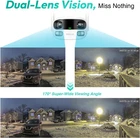
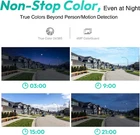
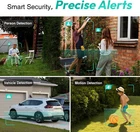
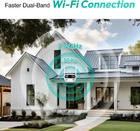
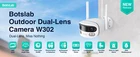
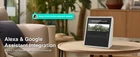
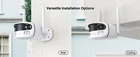
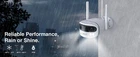
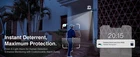
[Dual-Lens Vision, Miss Nothing] Our dual-lens security camera ensures you capture every detail with its wide 170° super-wide viewing angle and crystal-clear 2MP+2MP resolution. It delivers seamless panoramic images without blind spots or distortion. Even during the darkest nights, it provides continuous color, ensuring true color views 24/7 thanks to automatic light adaptation. [Smart Security, Precise Alerts] BOTSLAB outdoor wifi camera excels in smart security, detecting both people and vehicles and enhancing your protection. With motion detection, you'll stay informed about any activity around your property with precise alerts. Enhance your security further with a customizable siren and light alarm, maximizing protection within your selected alarm zones. [AI-Powered Tracking, Human-Focused] With advanced AI-powered tracking, the outdoor security camera intelligently focuses on humans. It offers close-up views of humans, ensuring you never miss important details. Enjoy dual live views with both wide panoramas and close-up perspectives simultaneously. Simply slide to explore or zoom in to discover more details using your Botslab app. [Seamless Connectivity and Versatility] Enjoy a faster and more stable dual-band Wi-Fi connection, supporting 2.4GHz, 5GHz. Stay in touch with two-way audio and take advantage of its IP66 weatherproof design. It performs reliably in temperatures ranging from -20°C to 60°C. Additionally, it seamlessly integrates with both Alexa and Google Assistant for voice control. [Reliable & Flexible Storage Options] Choose the storage solution that best suits your needs: Botslab Cloud Storage or local storage (MicroSD). This camera supports up to 256GB MicroSD cards (Not Included*). Rest assured that your privacy is safeguarded with TÜV Rheinland and ISO/IEC 27001 certifications. Installing a security camera is much easier than we thought. Here's general information on how to pair the camera with a smartphone: Download the app as per the manual instructions and sign up for a new account. Tap the Add (+) button, and the app will prompt you to scan the QR code on the camera. (This step is necessary to identify which camera will be installed, as one app can manage multiple cameras). The app will then guide you to connect to the internet and generate a QR code containing the network login information. Next, the app will instruct you to place the QR code in front of the camera lens. (This step allows the camera to read the QR code and automatically connect to the network. You might wonder why you can't directly connect the camera to the network—the reason is the camera doesn't have a keyboard). Once the camera successfully connects, the app will prompt you with a message confirming the connection. Now, you can view the camera feed from your smartphone. ***Note: Some cameras allow Bluetooth connectivity (this will be specified in the manual). In that case, you can simply turn on Bluetooth and follow the provided instructions. Exploring store