Webcam with Dual Microphone, DEPSTECH 2K QHD Privacy Cover
$ 5.28
Description
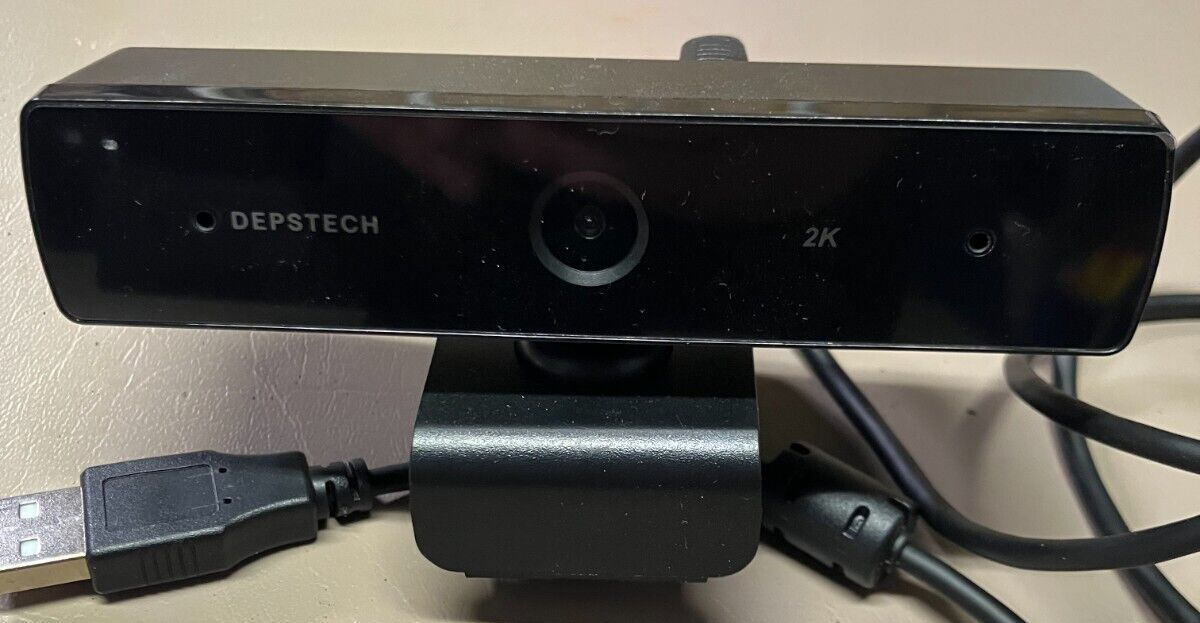
This DEPSTECH D11 webcam is the perfect addition to your laptop or desktop setup. With a 2K video capture resolution and zoom lens type, you can capture high-quality footage without any hassle. The built-in microphone and USB 3.0 connectivity make it easy to use and set up. The black color and sleek design of this unit make it a stylish addition to any workspace. Measuring at 6.06 x 3.27 x 2.4 inches and weighing only 8.2 ounces, it is compact and easy to store. This webcam comes with a dual microphone and privacy cover, making it a versatile and practical choice for anyone in need of a reliable and high-quality webcam. 【2K QHD Webcam】HD webcam with a 1/2.9”CMOS image sensor that features a 2560 x 1440 QHD resolution delivers sharp and crystal clear video at a fluid 25-30 frames/sec, and wide viewing angle shows things wider and clearer. 【Webcam with Dual Microphone】Fixed focus USB webcam with dual microphone capture clearer and more natural sound. The USB web camera shows a smooth sound transmission even in noise environment. 【Smooth Live Streaming Webcam】Streaming camera with max resolution up to 2560 x 1440 never miss any details, works perfectly even in dimly environment with automatic low light correction & HDR. 【Auto-installation Webcam】The webcam for desktop do not need additional driver or software, just connect the PC camera to a computer USB port and start play.