


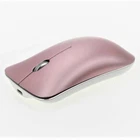
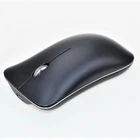
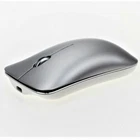
Wireless Bluetooth 5.0 Rechargeable Silent Mouse with USB and Durable Aluminum Alloy Design
$ 12.62
Description
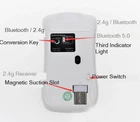
Specification: 1. Product Name: LT-T1 Aluminum Alloy Wireless Charging 2. Product function: Bluetooth 5.0+ Bluetooth 3.0 +2.4G three mode 3. Keyboard Switch: 500w Silent Quiet in Huanyu 4. Battery capacity:500 mAh (rechargeable) 5. Realize the wireless free movement within 10 meters distance; 6. High precision 1600 resolution, fast speed and quick response. 7. Delicate and generous shape, mini-type USB receiver, built in the mouse, let you enjoy the freedom of surfing the Internet. 8. High-performance wear-resistant footpad, easy to achieve barrier-free sliding & ldquo; 9. Mouse size: 110*60*25mm Features: 1.Bluetooth5.0+Bluetooth3.0 +2.4GThe third mock exam Design, 2.can be connected to three devices at the same time, 3.Ergonomic ultra-thin fuselage design, the use of large prototype3065Chip, Universe500wSubmute switch, 4.USB Receiver bottom playback magnetism suction humanized design, 5.Bluetooth connection in use, the receiver can place magnetic suction card slot, Highlights : Upgrade three mode bluetooth5.0Mouse, Improve Bluetooth Operational Stability, Solve TraditionV3.0/V4.0Low version Bluetooth mouse, High version WIN 10In the use of computer equipment in other systems, Using guidance: 1. 2.4G connection turn on the power switch at the bottom of the mouse, insert the receiver into the USB port of the computer, and press the button at the bottom of the mouse (Bluetooth/2.4G) to make the indicator show red light (red light will be turned off after 3 seconds). 2.Bluetooth connection First, turn on the Bluetooth search function of the computer, turn on the power switch at the bottom of the mouse (ON), and then press the button at the bottom of the mouse (Bluetooth/2.4G) to switch the indicator to display. green light perhaps Blue light Yes, it will.PM9 BT3.0.PM9 BT5.0Two pair names, you can choose one pair name to connect at will. If you choose BT3.0 to connect one device, you can use BT5.0 to connect another device again. When the mouse is in use, you can choose the device to operate by switching keys at the bottom.


