
Wireless Charging Station For Multiple Devices Black New 30w
$ 15.84
Description
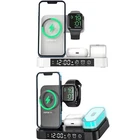
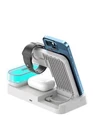
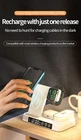
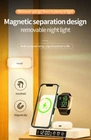
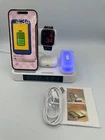
Charging Station For Multiple Devices Black New 30W description MULTIFUNCTION WIRELESS CHARGING STATION 1- Wireless charging parameters: 9V-3A, 12V-2.5A Mobile phone wireless output: 5W Headphones wireless output: 5W Watch (rear): USB: 5W-1A Type-C: 5V-1A 2- Dimensions: 7.9 X 6.7 X 4.1 inches Material: plastic and glass Colors: White or Black Weight: 1 Pound & 2.2 Ounces 3- Night light parameters: 7 colors RGB + warn light Battery capacity: 500 mah. 4- Dual-coil design, mobile can be charged wireless when is placed horizontally or vertically 5- Support PD & QC3.0 Fast charge protocol * Fast and safe charge for the latest Apple devices such as I Phones 11,12,13,14 & Pro series with a charging power: 5W/7.5W/10W/15W. * Headsets wireless charging power: 5W Max for all smart earphones, Air pods & Pro. * iWatch series 8,7,6,5,4,3 & 2 wireless charging power: 5W Max (Not supported for Samsung watches series) Charging STATION FEATURES 1- Intimate wire slot The wireless charging of the watch can be wound along the slot, which is cleaner and less messy to use. 2- Click the switch Click Show Warn White Lights, then click to enter the 7 colorful lights, just click and switch colors and with a long press adjust the brightness 3- Display clock with time system operation long press the 12/24 icon to switch the 12/24-hour mode 4- Clock Mode Debug Operation: Press and hold the time icon for 3 seconds to enter the clock settings mode, click to set the time and to set the minute to adjust the hour and minute correctly, wait for 5 seconds or press and hold for 3 seconds to complete the time setting. 5- Alarm mode debugging operation: Press and hold the alarm clock icon for 3 seconds to enter the alarm setting mode. Click to set the time and press and hold again to switch the digital area. Click to set the minute. After adjusting the hours and minutes correctly, wait for 5 seconds to complete the alarm setting, and then the small alarm icon lights up (Note: Not the alarm clock icon in the right.} Alarm cancellation operation: Press and hold the alarm clock icon 3 times in arow (press and hold for 3 seconds each time.) Alarm clock note: When in 12-hour mode, follow the PM-AM prompt to adjust the alarm time.